
Download Directly

Download the dha88 App — The Best Online Gaming Experience on Android and iOS

Install the official dha88 app on your smartphone and enjoy Live Casino, slots, fishing games, and hundreds more. Fast loading, secure transactions, and Bangla support — all in one app.

📱

100+
Live games available on the app
500+
Slots & Arcade Games
24/7
Live Support in Bangla
15 min.
Average Withdrawal Time

dha88

What makes the dha88 app different?

There are plenty of online gaming platforms in Bangladesh, but the dha88 app stands apart. It's not just a gaming app — it's a full-featured gaming platform built specifically with Bangladeshi players in mind. Everything is crisp and clear even on a small mobile screen, with large buttons that are easy to tap.

The first thing you'll notice when you open the dha88 app is a clean, well-organised interface. Live Casino, slots, promotions, or deposits — everything is just one tap away. No repeated logins like on a browser; install once and jump straight into the games.

  • Fast Loading: The app loads on average 40% faster than the browser version.
  • Push Notifications: Get notified instantly whenever a new promotion or bonus is available.
  • Offline Access: The app holds up even on a slow connection and resumes automatically once signal is restored.
  • Biometric Login: Log in instantly using fingerprint or Face ID.
  • Dark Mode Support: Eye-friendly dark theme for late-night gaming sessions.
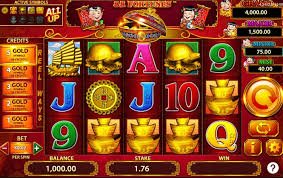
Choose Your Device

The dha88 app is available on both Android and iOS

Android App

Install the dha88 app on any Android smartphone or tablet — Samsung, Walton, Symphony, or any other brand. Download the APK directly from dha88.app; no Google Play required. Compatible with Android 6.0 and above.

Download for Android
Android 6.0+ APK ~28 MB Free Bangla Language

IOS App (iPhone/iPad)

IPhone and iPad users can open dha88.app in Safari and easily add a shortcut to their home screen — it works just like a native app. Full support on iOS 14 and above. No App Store installation required.

Add to iOS
iOS 14+ Safari PWA Free iPhone and iPad

dha88

How to install the dha88 app on Android?

Installing dha88 on Android is quick and straightforward. Just follow a few simple steps and you're good to go. Here's a step-by-step breakdown below.

1
Enable Unknown Sources in Settings

Go to Settings → Security (or Privacy) → Unknown Sources on your phone and turn it on. Without this, the APK won't install. You can turn it back off once the installation is done.

2
Open dha88.app and download the APK

Open dha88.app in your phone's browser and tap the Android APK button on the download page. The file will be saved to your Downloads folder.

3
Open the APK file

Once the download is complete, tap the notification or open your file manager and locate the dha88.apk file. Tap it and then tap Install.

4
Complete the Installation

Once installation is complete, tap the Open button — or tap the dha88 icon on your home screen — then log in or register.

5
Log in and start playing

If you already have an account, log in directly. If not, register now. A welcome bonus may be available on your first login.


dha88

How to add dha88 to the home screen on iPhone?

Get the full dha88 experience on iPhone or iPad without the App Store. Use Safari's "Add to Home Screen" feature to create an app-like shortcut — this is called a PWA. Once installed, it looks and feels just like a regular app.

1
Open dha88.app in Safari

Type dha88.app in Safari on your iPhone or iPad and let the site load. This feature only works in Safari — not Chrome or Firefox.

2
Tap the Share button

Tap the Share icon (square with an upward arrow) in the bottom toolbar. A menu will appear.

3
Select "Add to Home Screen"

Scroll through the menu, find "Add to Home Screen" and tap it. You'll be prompted to enter a name — keep it as "dha88" and tap Add.

4
Launch from Home Screen

You'll now see the dha88 icon on your home screen. Tap it for a full-screen, app-like experience.

Tips

When using the iOS PWA, you'll need to grant notification permission once. Enable it via Settings → Notifications → dha88.


Dha88 App vs Browser — Which is Better?

Compare both methods at a glance

Features Dha88 App Mobile Browser
Loading Speed ✔ Fast Comparatively Slower
Push Notifications ✔ Yes ✘ No
Biometric Login ✔ Yes ✘ No
Dark Mode ✔ Yes Limited
Battery Saving ✔ More savings Higher cost
On a weak connection ✔ Better performance Page may crash
Installation Required Once ✔ Not required
Access to All Games ✔ Full ✔ Full

dha88

What's inside the dha88 app?

The dha88 app is more than just a place to play games — it's a complete gaming ecosystem. Everything you need is right there the moment you open it. See the main sections of the app below.

Live Casino
Baccarat, Roulette, Poker
Slot Games
500+ Slot Titles
Fishing Game
Fun Arcade
Promotions
Daily Bonus Offers
Deposit
Mobile Banking, Nagad, Rocket
VIP
Exclusive Benefits

Payments and Security on the App

All transactions on the dha88 app are fully secure. You can deposit directly through Mobile Banking, Nagad, or Rocket without leaving the app. No bank account or card needed — mobile banking covers everything.

SSL encryption is applied to every transaction. Your personal information and payment data are never shared with third parties. The dha88 security team monitors the system around the clock.

Mobile Banking
Nagad
Rocket
SSL Secured
Encrypted
Instant Deposit

Deposits made through the app are typically reflected in your balance within 1–3 minutes. The minimum deposit is just BDT 200.

Fast Withdrawal

Winnings are typically credited to your mobile banking account within 15 minutes to 2 hours.

Account Security

Two-factor authentication (2FA) and biometric login keep your account secure.

24/7 Support

For any issue, get live chat support in Bangla directly from within the app.


Download the dha88 App Now — Get a Special Bonus on Your First Deposit

When you install the dha88 app and create a new account, you may be eligible for an exclusive welcome bonus on your first deposit. You can also track your daily login bonuses, reload offers, and VIP points — all right from the app. Don't miss out.

🎁

FAQ

Frequently Asked Questions About the dha88 App Download

Yes, the dha88 app is completely free to download and install. There are no charges on either Android or iOS. All you need is an active internet connection.

This usually happens because the "Unknown Sources" or "Install unknown apps" option is turned off. Go to Settings → Security or Privacy on your phone and enable it. Then try installing again. If the issue persists, restart your phone and try once more.

Yes, dha88 works fully on iPhone and iPad. While iOS doesn't support direct APK installation, simply open dha88.app in Safari and tap "Add to Home Screen" for an experience identical to a native app. This works on iOS 14 and above.

On Android, the app will notify you when a new version is available — you can update directly from that notification. For the iOS PWA version, your browser automatically loads the latest version, so no manual update is needed.

Yes, you can deposit directly through Mobile Banking, Nagad, and Rocket on the dha88 app. Your balance is typically credited within 1 to 3 minutes. The minimum deposit is just BDT 200.

Per dha88 policy, each person is allowed only one account. Using multiple accounts on the same device may result in account suspension. To learn about our rules and terms, visit our Terms and Conditions View page.

Play Responsibly

Dha88 is for users aged 18 and over. Gaming is for entertainment — if it becomes a problem, please seek help. For more information, visit our Responsible Gaming View page.

বাংলা